
Hikvision NVRs Explained | NXI vs M Series vs DeepinMind
NXI AcuSense, M Series or DeepinMind: Which Is Best?
When choosing a CCTV system, most people concentrate on the cameras. They look at image quality, night vision, resolution and intelligent detection features.
But there's another piece of equipment that's just as important: the Network Video Recorder (NVR).
The NVR is the heart of your CCTV system. It records footage, manages your cameras, provides playback and, depending on the model, can perform intelligent video analysis.
Choosing the wrong NVR can leave you with a system that struggles to display all your cameras at high resolution, doesn't support the advanced features you need, or requires replacing when you decide to expand.
At WaveTech South West, we believe choosing the right recorder from the beginning is just as important as choosing the right cameras.
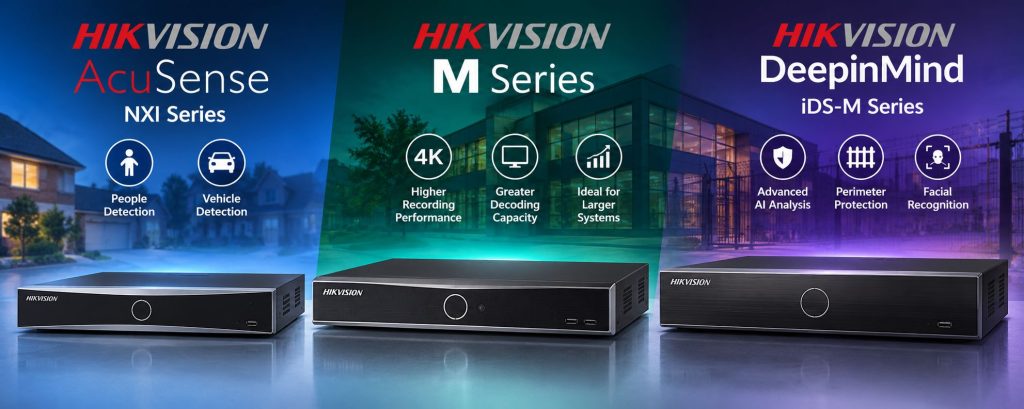
In this guide, we'll explain the differences between Hikvision's NXI AcuSense, M Series and DeepinMind recorders, along with some important considerations that are often overlooked.
1. Hikvision NXI Series – A Cost-Effective AcuSense Solution
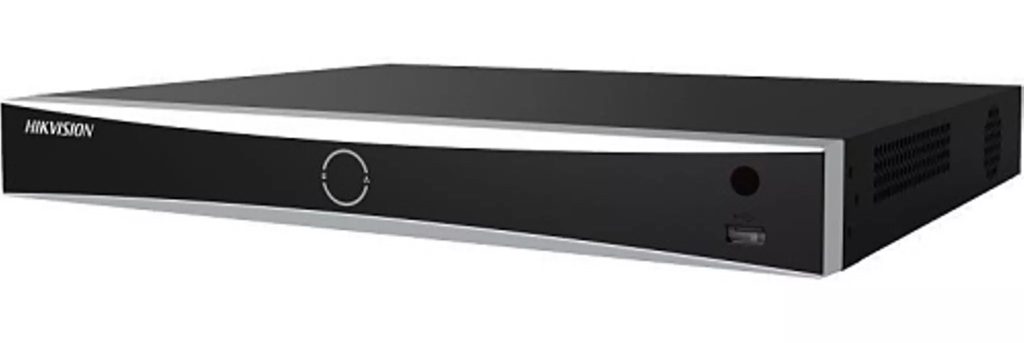
Hikvision's NXI range is a popular choice for domestic and small-business CCTV installations.
These recorders offer AcuSense technology, which uses intelligent analysis to help distinguish people and vehicles from other types of movement.
This helps reduce unwanted alerts caused by things such as moving vegetation, animals and changes in the environment.
For many installations, an NXI recorder can be an excellent, cost-effective solution.
However, there are some important limitations to consider, particularly when using higher-resolution cameras.
The problem with displaying all your cameras simultaneously
Imagine you've installed eight CCTV cameras around your home or business.
You've purchased an eight-channel Hikvision NXI recorder and connected a monitor so you can view all eight cameras at the same time.
You might reasonably assume that because your recorder supports eight cameras, it can display all eight at their full resolution.
Unfortunately, that isn't always the case.
This comes down to something called decoding capability.
For example, the Hikvision DS-7608NXI-K1/8P(D) has a published decoding capability, with AI enabled, of:
- 8 cameras at 2MP, simultaneously.
- 6 cameras at 4MP, simultaneously.
These figures are based on 30 frames per second.
So, if you install eight 2MP cameras, the recorder has sufficient published decoding capacity to process all eight streams simultaneously.
However, if you install eight 4MP cameras, the recorder cannot decode all eight at their full recording resolution simultaneously with AI enabled.
Does that mean you cannot view all eight cameras?
No, and this is an important distinction.
The recorder can still record all eight cameras, provided the recording requirements are within its capabilities.
It can also use lower-resolution sub-streams for multi-camera viewing.
However, you won't necessarily be viewing all eight cameras at their full recording resolution on your connected monitor.
This is why choosing the correct NVR is so important.
If you're investing in high-resolution cameras and want to display multiple cameras at high resolution simultaneously, a higher-performance recorder such as a suitable Hikvision M Series model may be a better choice.
It's also important to remember that NXI models differ in their decoding capabilities, so these figures are an example rather than a specification that applies to every NXI recorder.
At WaveTech South West, we consider both recording performance and how customers want to view their cameras before recommending an NVR.
2. Hikvision M Series – Higher Performance for Demanding Installations
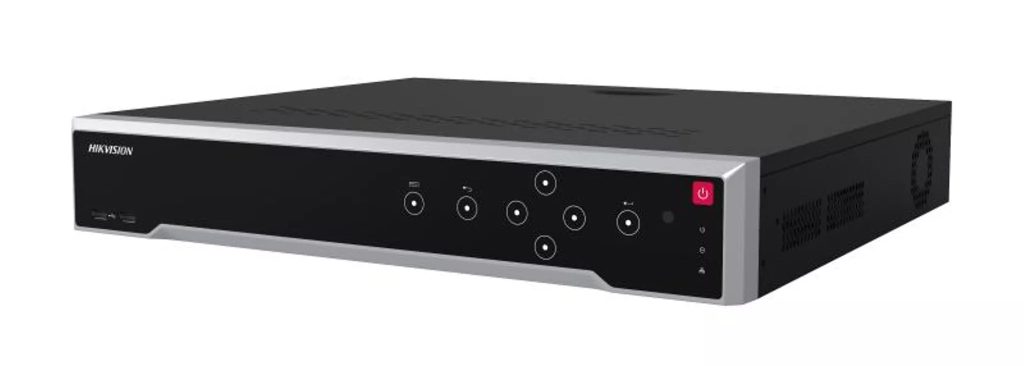
The Hikvision M Series offers significantly greater recording and decoding performance on many models.
This makes it particularly attractive for larger CCTV systems using multiple high-resolution cameras.
For example, the Hikvision DS-7616NI-M2 supports:
- 16 IP camera channels.
- Up to 256Mbps incoming recording bandwidth.
- High-resolution camera recording.
- 8K HDMI output.
- Simultaneous decoding of up to 16 cameras at 5MP and 30fps.
Compare this with the NXI example above and you can see why choosing the right recorder matters.
An M Series recorder may be worth considering if you have a larger installation, multiple 4MP or 8MP cameras, or a requirement to display numerous cameras simultaneously on a monitor.
However, an 8K HDMI output doesn't mean every camera can be displayed at 8K resolution. The recorder's decoding capacity and selected viewing layout still matter.
It's also worth remembering that the M Series is primarily about higher recording and decoding performance. If advanced AI analysis is required, a different model or suitable AI-enabled cameras may be more appropriate.
3. Hikvision DeepinMind iDS-M Series – Advanced AI Security
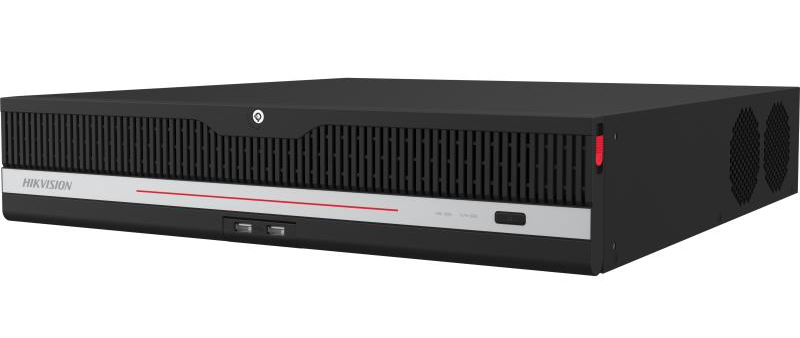
Hikvision's DeepinMind recorders are designed for more demanding security applications where advanced intelligent video analysis is important.
AcuSense already provides useful person and vehicle detection, helping reduce unwanted alarms.
DeepinMind takes intelligent analysis further, with additional deep-learning capabilities depending on the particular model.
These can include more advanced perimeter protection, intelligent event analysis, facial recognition and other specialist functions.
Not every DeepinMind recorder offers every feature, so the exact model and camera combination must be considered.
Why is advanced AI important?
Imagine you're protecting a business yard, commercial premises or large rural property.
You want to know when someone enters a restricted area, but you don't want repeated alarms caused by wildlife, moving trees or other harmless activity.
AcuSense already helps filter unwanted events.
However, suitable DeepinMind equipment can offer additional intelligent analysis that may help reduce false alarms further.
This becomes especially important when considering professional remote CCTV monitoring.
4. Professional CCTV Monitoring – Why False Alarms Matter
Many customers don't realise that a CCTV system can be connected to a professional remote monitoring service.
Instead of relying entirely on notifications to your mobile phone, alarm events can be sent to a monitoring centre, where trained operators respond according to an agreed procedure.
WaveTech South West can arrange professional remote CCTV monitoring for suitable installations.
However, the equipment needs to be selected carefully.
False alarms can become expensive
Professional monitoring companies often operate under packages that include certain allowances or conditions relating to alarm activations.
Depending on the provider, excessive false alarms can result in additional charges.
Imagine a CCTV system repeatedly triggering because of moving trees, wildlife or environmental conditions.
Even if nobody is entering your property, those activations may still reach the monitoring centre.
This is why reducing false alarms is so important.
Why DeepinMind may be recommended
Some professional monitoring providers require or recommend advanced AI detection, which may involve suitable DeepinMind cameras, DeepinMind NVRs or other approved equipment.
The additional intelligent analysis can help reduce unwanted alarm events.
However, DeepinMind cannot eliminate every false alarm. Correct camera positioning, suitable detection areas, lighting and professional configuration remain essential.
Monitoring providers also have different equipment requirements, so compatibility should always be confirmed before installation.
If professional monitoring is something you might want now or in the future, it's worth planning for it before purchasing your CCTV system.
Otherwise, you could find yourself needing to replace cameras or recording equipment to meet the monitoring company's requirements.
5. Choosing the Right Number of NVR Channels – Think Ahead
This is one of the most common mistakes people make when purchasing CCTV equipment.
Let's say you're installing eight cameras.
You purchase an eight-channel NVR because that's all you need today.
Everything works perfectly.
Six months later, you decide to add another camera overlooking your driveway and one covering a new outbuilding.
Unfortunately, your eight-channel recorder is already full.
You now have two main options.
Option 1 – Replace your existing NVR
You could replace your eight-channel recorder with a 16-channel model.
However, this means purchasing another recorder, transferring or replacing storage where compatible, and reconfiguring the system.
Option 2 – Install a second NVR
Alternatively, you could add a second recorder.
But this introduces additional costs and complications.
You may need another NVR, additional hard drives, extra network connections and power.
Depending on how you want to view your cameras, you may also need a separate monitor or additional viewing equipment.
Although multiple NVRs can sometimes be managed through the same software, this adds unnecessary complexity.
Our recommendation – Allow room for expansion
If you're installing eight cameras but think you might add more in the future, consider a 16-channel recorder from the beginning.
The difference in initial purchase price may be considerably less than replacing your NVR later.
Of course, simply having spare channels isn't enough. The recorder must also have sufficient bandwidth, decoding performance and storage capacity for any future cameras.
A little forward planning can save a considerable amount of money later.
6. NVR vs Cloud CCTV Storage – Which Is Better?
Another important decision is where your CCTV footage will be stored.
Traditionally, CCTV systems record footage locally onto hard drives installed inside an NVR.
However, cloud-based recording services such as Videoloft offer an alternative.
With cloud recording, footage is uploaded over your internet connection and stored on remote servers.
Both approaches have advantages.
The advantages of cloud CCTV recording
Cloud recording can be useful for certain installations.
Off-site protection: If recording equipment is stolen or damaged, footage already uploaded to the cloud can remain available.
Lower initial equipment costs: Some cloud systems eliminate the need for a traditional NVR and hard drives.
Easier expansion: Adding cameras can be straightforward, provided the system supports them and sufficient internet bandwidth is available.
Multiple locations: Cloud services can make it easier to manage cameras across several properties.
For smaller systems, temporary installations or customers requiring off-site recording, cloud storage can be a good solution.
The disadvantages of cloud CCTV recording
Although cloud recording sounds attractive, there are several important considerations.
Ongoing subscription costs
Unlike an NVR, where recording storage is generally purchased upfront, cloud services typically charge a recurring fee per camera.
For example, Videoloft has advertised entry-level cloud storage from approximately £3.89 per camera per month, for two days of 2MP motion-triggered recording.
Longer retention periods, higher resolutions and continuous recording can cost more.
At that example entry-level price, eight cameras would cost approximately £31.12 per month, or £1,867.20 over five years.
That's before considering any additional equipment, installation costs or subscription price changes.
An onsite NVR generally costs more initially but doesn't require a monthly per-camera cloud storage subscription.
Motion-only recording
Many lower-cost cloud packages use motion-triggered recording rather than continuous recording.
This means footage is saved when movement is detected.
Although this reduces storage requirements, important activity can potentially be missed if the detection settings are incorrect or an event isn't recognised.
With a suitably configured NVR, we can provide continuous recording, event-based recording or a combination of both.
For many security installations, we prefer continuous recording because it provides a more complete record of what happened before, during and after an incident.
Dependence on your internet connection
Cloud recording requires an internet connection to upload footage.
If that connection fails, footage cannot be uploaded until connectivity returns.
Some cloud solutions, including Videoloft systems using suitable physical Cloud Adapters, can temporarily store recordings locally and upload them later.
However, this buffering capacity is limited.
An onsite NVR can continue recording locally without internet access, provided the cameras, network equipment and recorder remain powered and operational.
This is particularly relevant for rural properties using 4G, 5G or Starlink connections.
Cloud services can experience failures too
Cloud recording removes some of the risks associated with storing footage entirely onsite.
However, cloud systems aren't immune to outages, technical faults or data loss.
No storage system is completely risk-free.
Our recommendation – Local recording with optional cloud backup
For most permanent home and business CCTV installations, WaveTech South West generally recommends a properly specified onsite NVR.
It provides greater control over recording quality, storage capacity, recording retention and local viewing.
It also avoids ongoing per-camera cloud storage charges.
However, choosing an NVR doesn't mean you cannot have cloud storage.
Compatible Hikvision NVR systems can be integrated with cloud recording services such as Videoloft, providing local recording alongside off-site storage.
Compatibility and available recording options must be checked for the particular equipment.
For customers who require additional protection against theft, fire or damage to recording equipment, this can provide the best of both worlds.
For most domestic installations, though, we believe a properly designed onsite recording system offers excellent value without the additional cost of cloud storage.
7. Why Hard-Drive Storage Is So Important
Another area that is often overlooked is the hard-drive storage inside the NVR.
The amount of storage required depends on several factors, including:
- Number of cameras.
- Camera resolution.
- Frame rate.
- Video compression.
- Continuous or event-based recording.
- Number of days of footage required.
For example, 16 cameras recording continuously at high resolution will generally require considerably more storage than four cameras.
Not every NVR supports the same number of hard drives or the same maximum drive capacity.
That's why storage should be calculated as part of the system design, rather than simply installing whichever hard drive is cheapest.
8. Why We Prefer NVRs With Two Hard-Drive Bays
Where the budget allows, WaveTech South West recommends considering an NVR with two hard-drive bays rather than choosing a single-bay recorder purely to save money.
For example, an NVR with one 4TB drive may be cheaper than a two-bay recorder containing two 2TB drives.
Both arrangements offer 4TB of raw storage.
However, having two drives provides greater flexibility.
What happens when a hard drive fails?
CCTV hard drives are designed for continuous operation, but like any mechanical device, they can eventually fail.
If your NVR has only one hard drive and that drive fails, the cameras may continue displaying live images, but recordings can no longer be saved to that failed drive.
Until the drive is replaced or another recording destination becomes available, important footage could go unrecorded.
With a two-drive recorder, additional storage configurations may be possible.
Depending on the model and configuration, recording may be distributed between drives, or redundant recording may be available.
With independent storage, a failure may affect the recordings assigned to one drive while the other continues operating.
However, simply installing two drives does not guarantee uninterrupted recording if one fails.
What about RAID?
Some higher-specification Hikvision recorders support RAID or other redundant recording arrangements.
With RAID 1 mirroring, the same footage is stored on two drives.
If one fails, the other retains a copy.
However, two 2TB drives configured as RAID 1 provide approximately 2TB of usable storage rather than 4TB.
Not every Hikvision NVR supports RAID, so this must be checked before purchasing.
Two hard drives provide additional options, but they don't automatically provide a backup or guarantee continued recording.
9. Hard-Drive Failure Warnings and Hikvision Health Monitoring
At WaveTech South West, we believe installing the correct recording equipment is only part of providing a reliable CCTV system.
It's also important to know when something goes wrong.
Standard hard-drive failure warnings
When installing a Hikvision NVR, we configure various warning features, where supported, to help ensure hard-drive faults are identified as quickly as possible.
These can include:
Audible NVR warning: The recorder can sound an audible beep when a hard-drive fault is detected.
Email notifications: Where supported and correctly configured, an alert can be emailed to WaveTech South West and the customer.
Hik-Connect notifications: On certain models, a warning may also appear through the Hik-Connect app.
These are useful features because they help prevent a hard-drive failure from going unnoticed.
However, there's one important limitation.
These warnings generally tell you that a problem has already been detected. They don't necessarily provide advance warning that a hard drive is beginning to deteriorate.
This is where Hikvision Health Monitoring can provide additional reassurance.
Optional Hikvision Health Monitoring – Approximately £40 + VAT Per Year
For customers who want additional protection, WaveTech South West offers an optional Hikvision Health Monitoring service.
Rather than relying solely on the NVR to report a failure, this service checks supported equipment and available hard-drive health information.
It can help identify potential problems such as bad sectors and other reported drive-health abnormalities.
The service can provide automatic emailed health reports either weekly or monthly, allowing developing issues to be identified and investigated before they potentially result in a complete hard-drive failure.
The benefits include:
- Regular checks of available hard-drive health information.
- Identification of reported problems such as bad sectors.
- Automatic emailed reports, weekly or monthly.
- Greater visibility of the condition of your recording equipment.
- An opportunity to investigate developing problems before they cause a complete loss of recording.
The service costs approximately £40 + VAT per year and is entirely optional.
Health monitoring cannot predict every hard-drive failure or guarantee that recordings will never be lost.
However, it provides an additional layer of protection beyond standard failure notifications.
Why we believe this matters
A CCTV system may appear to be working perfectly because the cameras are still displaying live images.
But if a hard drive has failed, important footage may no longer be recording.
By combining suitable NVR hardware, correctly configured failure alerts and optional proactive health monitoring, we aim to reduce the risk of customers discovering a recording problem only when they need to retrieve footage.
A CCTV system is only useful if the footage you need has actually been recorded and is available when you need it.
10. So Which Hikvision NVR Is Best?
There isn't one recorder that's right for everyone.
NXI AcuSense Series
A cost-effective choice for many homes and small businesses where the recording, local viewing and intelligent detection requirements are within the selected model's capabilities.
M Series
Worth considering for larger installations, multiple high-resolution cameras and customers who need stronger decoding and local viewing performance.
iDS-M DeepinMind Series
A strong option for more demanding security installations where advanced intelligent analysis, perimeter protection or professional monitoring requirements are important.
However, the DeepinMind name alone doesn't guarantee that every advanced feature is available. The exact recorder, cameras and configuration must be checked.
And whichever NVR you choose, remember to consider spare channels, hard-drive capacity, storage reliability and possible future expansion.
11. Why Professional CCTV System Design Matters
Buying CCTV equipment online is relatively easy.
Making sure all the components work together properly, both now and in the future, requires considerably more planning.
At WaveTech South West, we look beyond simply counting how many cameras you want installed.
We consider how the system will actually be used.
Will you want to display all your cameras on a local monitor?
Are you likely to add more cameras in the future?
How many days of recording do you need?
Would you benefit from advanced AI detection?
Might you want professional remote monitoring?
Would cloud backup provide a genuine benefit?
And how will you know if your recording equipment develops a fault?
These are all important questions that should be answered before choosing your NVR.
Professional CCTV Installation Across Somerset, Wiltshire, Bath and Dorset
WaveTech South West supplies and installs professional Hikvision CCTV systems for homes and businesses throughout Somerset, Wiltshire, Bath and surrounding areas, including parts of Dorset.
Whether you're planning a new CCTV installation, expanding an existing system, considering professional remote monitoring or simply want advice on choosing the right equipment, we're here to help.
We believe in providing honest, practical advice and choosing equipment that suits your requirements rather than simply installing the cheapest option.
The best CCTV recorder isn't necessarily the most expensive one. It's the one that does everything you need today, with room for what you might need tomorrow.
Visit www.wavetechsouthwest.co.uk to discuss your CCTV requirements with WaveTech South West.